
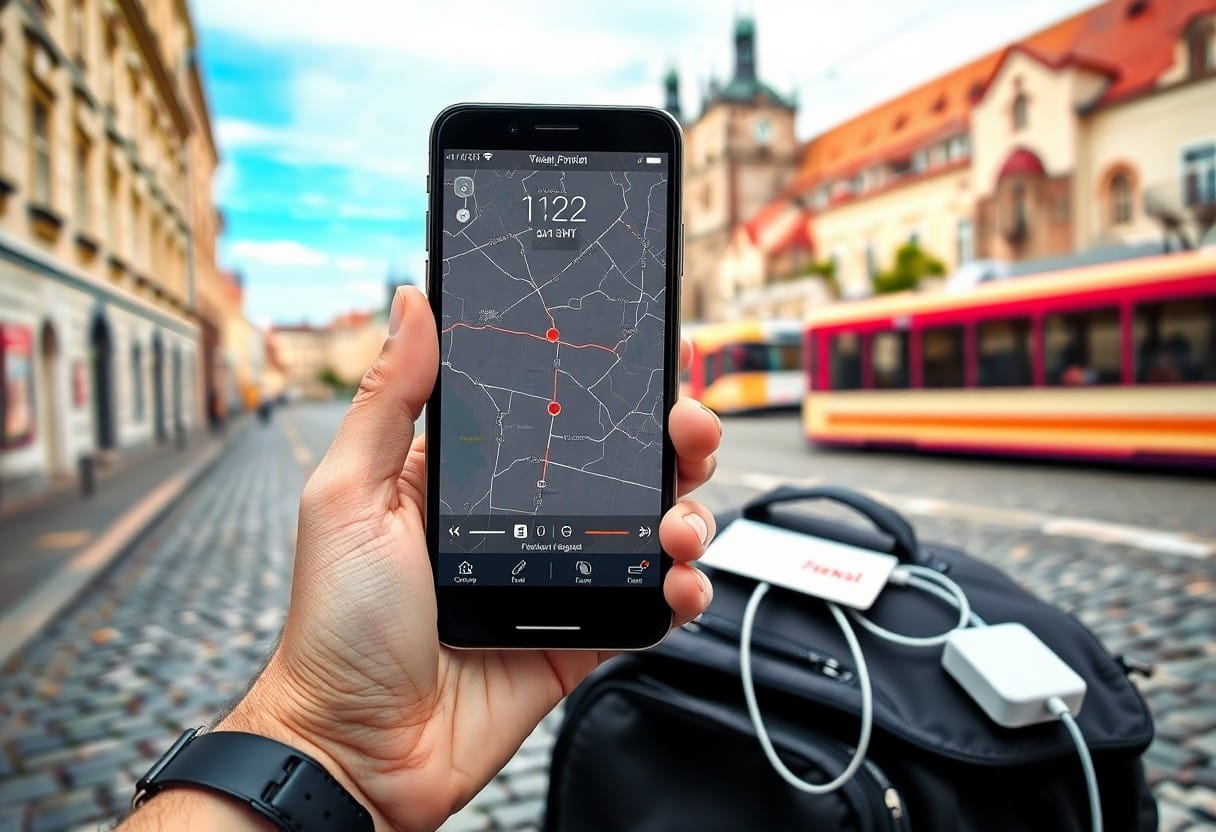
Czechia rewards solo travelers with efficient connectivity, but you must plan to stay reachable and safe: buy a local SIM or eSIM for affordable data, use a VPN on public Wi-Fi to protect sensitive info, and keep your emergency contacts saved offline. In crowded tourist spots be vigilant for pickpockets, and use map apps and mobile payments to make your journey smoother and more secure.
Types of Communication Tools
| Tool | Best use / Notes |
| eSIM / local SIM | Fast data on the go; typical prepaid packages cost about 200-400 CZK (≈€8-€16) and activate in minutes via vendor apps or at kiosks. |
| Mobile apps | Navigation, ticketing and ride-hailing-apps like Mapy.cz, PID Lítačka, Bolt and eSIM providers cover most needs offline and online. |
| Public Wi‑Fi & VPN | Free Wi‑Fi is common in cafes and hostels; protect your banking and logins with a reputable VPN on public networks. |
| Messaging & social platforms | WhatsApp, Signal, Facebook groups and Reddit serve for meetups, local tips and quick support-use private messages rather than public posts for personal details. |
Mobile Apps
You should install a mix of global and Czech-specific apps: Google Maps for driving, Mapy.cz for downloadable topographic maps and offline walking routes, and PID Lítačka for Prague public-transport tickets; the ticketing app can save you time and a paper fine if you forget to validate. Practical taxi and ride-hail options include Bolt and Liftago, while eSIM vendors like Airalo let you activate data without swapping cards.
Useful set-up steps: download regional offline maps (a few dozen MB per region), preload translations in Google Translate or Translate so you can use camera translation without data, and add your bank’s app plus a trusted VPN. Install these vitals and test them at your accommodation so you won’t be troubleshooting under time pressure.
- Mapy.cz – offline hiking and street maps
- PID Lítačka – Prague tickets and fare info
- Bolt / Liftago – reliable ride-hailing options
- Airalo / local carrier – eSIM or prepaid data activation
Social Media Platforms
You’ll find event listings, group meetups and local tips on Facebook groups, Meetup and Couchsurfing; many expat groups have thousands of members, and weekly events often draw between 5-30 people depending on the meetup type. Use Instagram and TikTok to spot trending neighborhoods, pop-up events and new bars-those platforms surface up-to-the-minute recommendations more quickly than travel guides.
For candid local feedback, check Reddit threads such as Is Prague worth it as a solo traveler? Feeling a bit down in … and regional Facebook threads; they often include first-hand accounts and recent safety notes. Practice caution online: avoid sharing your live location publicly, vet event organizers through past posts, and move conversations to direct messages before exchanging phone numbers.
Additional tip: verify events by checking the last 10 posts in a group for activity and photos, prefer meetups with at least one moderator or organizer you can message directly, and consider joining platform-specific verified-event features when available to reduce the chance of scams. Assume that you keep apps updated, use a VPN on public Wi‑Fi and limit what you post publicly.
Tips for Staying Connected
Prioritize a simple backup plan: carry a secondary data option and a portable battery so you can top up a dead phone before a late-night train or a long bus ride. For in-city use, expect reliable 4G and growing 5G coverage in Prague, Brno and Ostrava, but plan for weaker signals in national parks and some rural stretches.
- eSIM – instant setup, ideal if your phone supports it
- local SIM – usually better value for longer stays (buy at operator stores or kiosks)
- public Wi‑Fi – convenient but risky for banking or sensitive logins
- offline maps – download city or route packs before you leave Wi‑Fi
- VPN – use one on any network you don’t control
Choosing the Right Apps
You should install at least three categories of apps before you arrive: messaging (WhatsApp, Signal or Telegram) for keeping in touch; mapping and offline navigation (Google Maps offline, Maps.me) for walking routes and trail backups; and local transport apps for tickets and timetables. For intercity travel, download the ČD (Czech Railways) and RegioJet apps or use the IDOS timetable app – IDOS covers nationwide bus and train schedules and will show platform and connection details when you need them.
Regarding payments and safety, add a multi-currency card app such as Revolut or Wise so you can avoid ATM fees and carry less cash; many cafes and smaller vendors still prefer cash, but contactless is widely accepted in cities. Also preload offline language packs in Google Translate (Czech) to handle menus and signage without data, and enable push notifications in your transport apps so you get service alerts or platform changes in real time.
Ensuring Internet Access
Choose between an eSIM for immediate activation and a physical prepaid SIM for slightly lower per‑GB costs; typical short‑term plans start from about 200-600 CZK (~€8-€25) for a month with 5-30 GB, available at operator stores (O2, T‑Mobile, Vodafone) or airport kiosks at Václav Havel Airport. If you already have an EU mobile plan, check your provider’s fair‑use roaming terms before relying on it – many EU plans work in the Czech Republic but limits can apply. Use a trusted VPN whenever you connect to open Wi‑Fi, and avoid doing online banking on public networks without one.
Expect strong urban coverage: central Prague and major train corridors regularly support high speeds and stable connections, while mountainous areas like the Šumava and Krkonoše ranges are more likely to drop to intermittent 3G or have gaps. Carry a small power bank (10,000 mAh is a good balance of weight and capacity) so you can keep navigation and ticketing apps running during long day trips, and save downloaded tickets or screenshots in case connectivity drops at the station.
For extra assurance, set up an eSIM profile from a global provider (Airalo, Holafly or operator eSIMs) before you arrive so you can activate data on landing, and keep a cheap physical SIM as a fallback you can buy for under 300 CZK at many kiosks. The simplest redundancy is to carry a cheap prepaid SIM and to enable an eSIM profile before you leave your accommodation.
Step-by-Step Guide to Setting Up Communication
Quick setup checklist
| Step | Action / Detail |
| Choose operator | Select from T‑Mobile Czech, Vodafone CZ or O2 Czech; tourist SIMs typically cost ~200-500 CZK for 5-15 GB, while eSIM plans are often comparable. |
| Buy & activate | Purchase at airport kiosk, operator shop or online (QR eSIM); scan QR to install eSIM on supported phones (iPhone XS/XR and later, many recent Pixels and Samsung S series). |
| Download apps | Install WhatsApp/Signal, Mapy.cz (offline Czech maps), Google Maps, PID/IDOS for transit, Bolt/Uber for rides, and Google Translate; set up Apple/Google Pay if you use contactless. |
| Configure settings | Enable mobile data, set network mode to LTE/5G, enable data roaming if using a foreign SIM, and add carrier APN if needed; disable background data for heavy apps to save quota. |
| Security | Use a VPN on public Wi‑Fi, enable device lock, and keep emergency numbers handy: 112 (EU), 155 (ambulance), 158 (police), 150 (fire). |
Downloading Essential Apps
You should get messaging and calling apps first: install WhatsApp and Signal so you can text, call, and use groups with hosts or travel contacts; many Czech locals use WhatsApp and Viber, but Signal is growing for secure calls. Add Mapy.cz for detailed offline maps of trails and small towns, and keep Google Maps for navigation in cities – offline map packs typically range from 50-200 MB per region.
Next, add transport and local service apps: download PID/Lítačka for Prague tickets or IDOS for nationwide timetables, Bolt and Uber for quick rides, and Google Translate with the Czech offline pack (~50 MB) to translate menus and signs without data. For money, install Revolut or Wise to reduce card fees and top up them before you need cash; many kiosks and smaller shops still prefer cash, but cards and contactless are widely accepted in cities.
Adjusting Settings for Connectivity
After inserting a SIM or activating an eSIM, enable mobile data and set network mode to LTE/4G or 5G (if available) in your phone’s Mobile Network settings to get the best speeds-5G is present in major cities, while 4G provides broad coverage across the country. If you picked a foreign SIM, turn on data roaming, but keep an eye on usage: prepaid plans often list explicit caps like 10-15 GB before speeds are throttled.
For finer control, switch to automatic network selection first to let your phone find the strongest local mast, then consider locking to a network manually if you encounter instability; also check and, if required, enter the carrier APN (most operators push APN settings via SMS on activation). Finally, enable Wi‑Fi calling if your carrier supports it to maintain voice quality in buildings, and restrict background data for streaming apps to avoid unexpected consumption.
Factors Influencing Connectivity
Your day-to-day connectivity in the Czech Republic depends on a mix of technical and situational variables: which carrier you use, whether your phone supports local bands and eSIM, where you are (city center vs. mountain trail), and the local availability of secure Wi‑Fi. Major operators (O2, T‑Mobile, Vodafone) provide broad coverage across urban centers and main roads, while smaller MVNOs and tourist-focused mobile data packages can be cheaper for short stays. EU visitors normally benefit from “roam like at home,” but if you’re coming from outside the EU check your carrier’s fees to avoid unexpectedly high roaming charges.
- Location – urban vs rural signal variability and dead zones in mountain ranges like Šumava and Krkonoše
- Network technology – 4G is widely available, 5G is concentrated in cities and larger towns
- Device compatibility – unlocked phones and supported LTE/5G bands matter
- SIM/eSIM options – prepaid data sizes, activation times, and top‑up convenience
- Public Wi‑Fi – availability in cafes, hostels, and stations but variable security
- Power – battery drain from poor signal searching and the need for portable chargers
Location and Coverage
In cities like Prague, Brno, and Ostrava you’ll find dense 4G and growing 5G footprints with reliable indoor speeds and frequent public hotspots; central Prague train stations and major transit hubs usually have stable Wi‑Fi or at least strong mobile signal. On trunk highways and most regional roads coverage remains consistent, but when you head into smaller villages or national parks signal can drop to intermittent 3G or edge-level service-expect gaps on long hiking trails and in deep valleys.
Trains and long-distance buses are mixed: some fleets offer onboard Wi‑Fi that works well between cities, yet tunnels and rural stretches will still cause buffering or dropped calls. Tourist accommodation in small towns sometimes relies on a single local connection-if the guesthouse router is overloaded during peak season you may get slower speeds than the advertised network coverage.
Device Limitations
Your phone’s hardware determines much of what you can actually use: an unlocked device that supports European LTE bands (commonly bands 3, 7 and 20) and eSIM if you plan to switch providers is ideal. Dual‑SIM capability is especially helpful so you can keep your home number active while using a local SIM for data; older phones or budget devices may lack these features and will limit your options.
Battery performance also affects connectivity-when your device constantly searches for a weak signal it will drain faster, leaving you offline if you don’t have a backup power source. Portable power banks rated 10,000-20,000 mAh are common travel items for solo travelers, and carrying one can be the difference between staying reachable and losing access to maps and emergency contacts.
Practical steps you can take include confirming your phone is unlocked before you leave, checking online whether your model supports the local LTE/5G bands, downloading offline maps and critical apps, and budgeting for a local prepaid plan-many tourists find 10-30 GB packages for roughly 200-400 CZK at airports or retailer kiosks. Unlocked phone, local SIM, and a charged battery will prevent most interruptions. Assume that you carry a spare power bank and an unlocked device to avoid most connectivity problems while traveling solo in the Czech Republic.
Pros and Cons of Staying Connected
| Pros | Cons |
|---|---|
| Real‑time navigation with apps like Google Maps or Mapy.cz | Battery drain from constant GPS and background syncing |
| Buy Czech Rail (ČD) or regional bus tickets and show e‑tickets on your phone | Exposure to unsecured public Wi‑Fi and man‑in‑the‑middle attacks |
| Instant emergency calls to 112 and quick contact with local services | Extra cost for data: tourist SIMs typically cost 200-600 CZK for 10-30 GB |
| Stay in touch with family, friends, or remote work via video calls and Slack | Social media and notifications can fragment attention and reduce situational awareness |
| Mobile payments widely accepted in Prague and larger cities (NFC, Google/Apple Pay) | Risk of phone theft or loss leaving you without tickets, IDs, or payment methods |
| Access to local info, translation apps, and restaurant reviews on the go | Dependence on signal – rural areas and some mountain regions drop to 3G or no service |
| Use eSIMs for quick setup: major providers (O2, T‑Mobile, Vodafone) support eSIM tourist plans | Roaming or data overage fees if you don’t monitor usage |
| Quick bookings for buses (FlixBus, RegioJet), tours, and last‑minute accommodation | Privacy concerns from apps tracking location and behavior |
Benefits of Connectivity
You can navigate Prague, Brno, and other cities with turn‑by‑turn directions and live transit updates; apps like Mapy.cz and Google Maps give offline map options you can preload, and ČD, RegioJet or FlixBus let you buy e‑tickets and show them from your phone. Buying a local SIM or eSIM (commonly 10-30 GB tourist packages for around 200-600 CZK) often costs less than roaming and keeps you online for route changes, last‑minute reservations, and emergency calls to 112.
For work or keeping in touch, reliable mobile data means you can join a meeting from a café in Žižkov, share live location with a friend, or send large photos without hunting for Wi‑Fi. Mobile payments and contactless cards are widely accepted in urban areas, so you can pay for trams, cafés, and taxis without fumbling for cash; carrying a 10,000 mAh power bank will keep you operational through long sightseeing days.
Drawbacks and Distractions
Notifications and social feeds can turn your attention away from cobbled streets or a museum visit, so you may find yourself checking your phone repeatedly and missing in‑person moments. Continuous GPS navigation and background syncing can shave off roughly 10-20% battery per hour on older phones, leaving you vulnerable if you rely solely on your device for tickets, directions, or emergency contact.
Public Wi‑Fi in cafés or stations is often unsecured, making you susceptible to eavesdropping and credential theft unless you use a VPN and disable auto‑join for networks; additionally, if your phone is lost or stolen you face the immediate hassle of blocking cards, replacing your SIM, and re‑accessing reservations-situations that can cost time and money.
When you over‑connect, you also increase exposure to scams-phishing SMS pretending to be from local carriers or fake Wi‑Fi hotspots are common in tourist areas-so you should keep 2‑factor authentication active, back up important documents offline, and have a recovery plan (printed copies of your passport page, a secondary contact number, and the embassy’s emergency line) to reduce downtime if your device becomes unusable.
Alternative Ways to Connect
Local Meetups and Events
Meetup.com, Facebook Events and Eventbrite list everything from language exchanges to film nights; you’ll commonly find groups ranging from 10-200 people, with many language meetups drawing 20-80 attendees. Festival highlights include Signal Festival (light art, October) and Prague Spring (classical music, May), while community centers and cultural institutes host workshops and talks that often cost between free and 400 CZK. When you arrive, scan event pages for recent photos and attendee comments to gauge vibe and crowd size.
Smaller pop-ups and themed pub nights are posted in expat groups like “Expats in Prague” or on hostel noticeboards, and municipal tourist offices keep handy flyers for neighborhood events. If you RSVP, try to get there 10-15 minutes early to meet organizers and secure a seat; at crowded festivals stay aware of your bag-pickpocketing risk increases in packed areas, so keep valuables secured and close to your body.
Engaging with Fellow Travelers
Hostel common rooms and organized pub crawls remain the quickest way to meet other travelers: many hostels run nightly activities and day-trip meetups, while free walking tours (tip customary around 100-200 CZK) attract people eager to join an afternoon excursion to Český Krumlov or Kutná Hora. Use apps like Couchsurfing Hangouts, Travello or Backpackr to spot who’s in the city the same days as you, and check group chat etiquette before posting to avoid duplicate plans.
Start conversations with easy openers-ask where someone’s traveled from or what Czech food they’ve tried-and suggest a low-commitment meet like coffee or a two-hour museum visit. Many pub dinners and beer tastings run cheaper than 200 CZK in local neighborhoods, making spontaneous invites simple; however, always keep your ID and cards secure and avoid sharing detailed accommodation information until you’ve established trust.
When you want to organize a meet yourself, post a clear time/place on hostel boards or Telegram/WhatsApp groups and offer a short, concrete plan (for example, “Meet at 10:30 at Hlavní nádraží for a 30-40 minute train to Kutná Hora; tickets ~120-200 CZK”). Exchanging social handles works well, but meet in public first, tell someone your itinerary, and be ready to leave if someone makes you uncomfortable-your safety and sensible boundaries should guide every new connection.
Summing up
Hence you should secure reliable connectivity before and during your trip to the Czech Republic: choose between a local SIM or eSIM, compare data plans, preload offline maps and translation tools, install messaging apps and set up cloud backups so your contacts and documents stay accessible even when coverage is inconsistent.
By using public Wi‑Fi selectively and always routing traffic through a VPN, carrying a charged power bank, and sharing your itinerary and ETA with trusted contacts, you keep your devices ready for navigation, safety and communication, enabling you to focus on exploring with confidence.
FAQ
Q: How can I get mobile data while traveling solo in the Czech Republic?
A: Buy a prepaid local SIM or eSIM for the best rates and coverage. Major providers are O2, T-Mobile and Vodafone; prepaid plans are sold at airports, carrier shops, electronics stores and many kiosks. You may need to show your passport or ID to register the SIM. eSIMs can be purchased online before arrival-choose a plan that lists Czech coverage and follow the provider’s activation instructions. Top-ups are available in shops, via carrier apps or online.
If your phone is locked to a different carrier, use an unlocked device or a portable hotspot. Check APN settings if data doesn’t connect and enable dual-SIM or eSIM settings if you want to keep your home number active for calls/texts while using local data.
Q: Is public Wi‑Fi safe to use and how do I protect my accounts?
A: Public Wi‑Fi is convenient but often insecure. Use a reputable VPN when connecting to unfamiliar networks and only visit sites that use HTTPS. Turn off automatic network joining in your Wi‑Fi settings, avoid online banking or sensitive transactions on public hotspots, and enable two‑factor authentication on important accounts. Keep your phone’s OS and apps updated, use strong unique passwords or a password manager, and disable file sharing or open network discovery. For quick secure access, use your mobile data or a personal hotspot instead of free Wi‑Fi.
Q: What practical tools and apps should I carry to stay connected and handle low‑battery situations?
A: Carry a high‑capacity power bank (check airline limits; keep batteries in carry‑on), a short USB‑C and Lightning cable, and a compact EU plug adapter (Type E/F sockets, 230V). Consider a small portable Wi‑Fi hotspot or a second prepaid SIM/eSIM as backup. Download offline maps and transit apps in advance (Google Maps offline, Maps.me, IDOS or local transit apps for Prague and regional services), install your carrier’s top‑up app, and save emergency contacts (112 for emergencies, local embassy) and copies of travel documents to cloud storage and an encrypted offline copy. Share live location with a trusted contact when moving between destinations and enable device finders (Find My/Google Find My Device) in case of loss or theft.

I’m Jan, a Czech writer, hiker and travel guide born in Bohemia and based in Prague. I’ve been writing about my home country for 9 years, and I know it the way you only do when you’ve grown up here: the trail signs that locals actually follow, the pubs that aren’t in any guidebook, the castles that get overlooked because they’re not on a tour bus route.
Over 9 years I’ve covered every corner of the Czech Republic, from the Krkonoše ridges and Šumava forests to the wine cellars of South Moravia and the spa towns of West Bohemia. I’ve taken 40+ solo trips across Czechia, Slovakia, Poland, Hungary and Austria and I write in Czech and English, which means I can read the local hiking forums, regional news and municipal information that never gets translated.
My writing covers three areas: practical solo travel in Czechia (getting around by train and bus, hiking safely, visiting castles and landmarks without the crowds), expat and long-term living (the cultural surprises, the bureaucracy, what it actually costs, how the healthcare and transport systems work), and off-the-radar Czech Republic, the places most visitors never reach because they spend all their time in Prague.
Prague is extraordinary, but it’s maybe 10% of what this country has to offer. The rest is what I’m here to write about.